
Transform Photos to Caricatures
with AI
Create fun, expressive cartoon caricatures from your photos instantly. Our AI caricature generator exaggerates features playfully while keeping your likeness intact. Perfect for social media, gifts, and laughs!
Upload your photo
Upload any portrait to create a fun caricature
AI Caricature Generator Examples
Real before/after pairs from the AI caricature generator — the same portrait rendered in Comic Book, Cartoon, and Pixar styles. Likeness is preserved; the style is what changes.
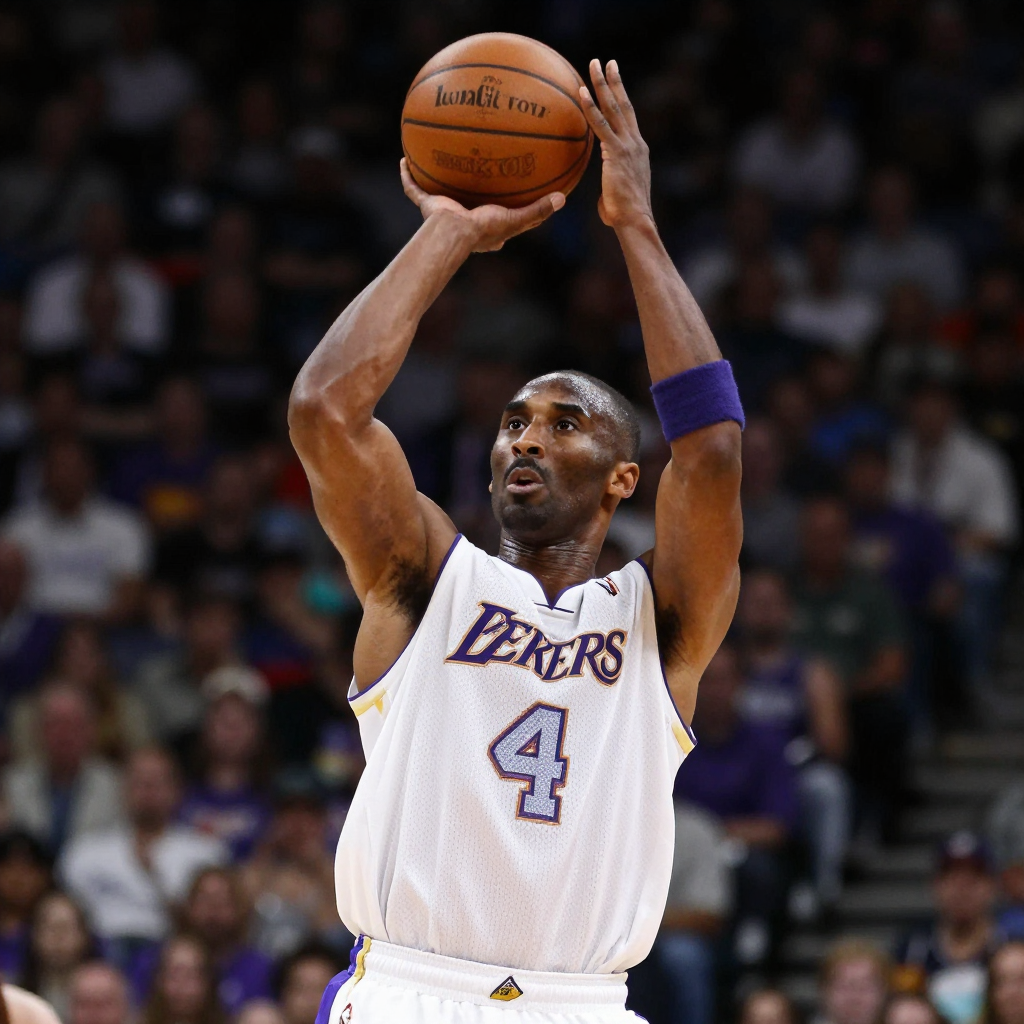 Before
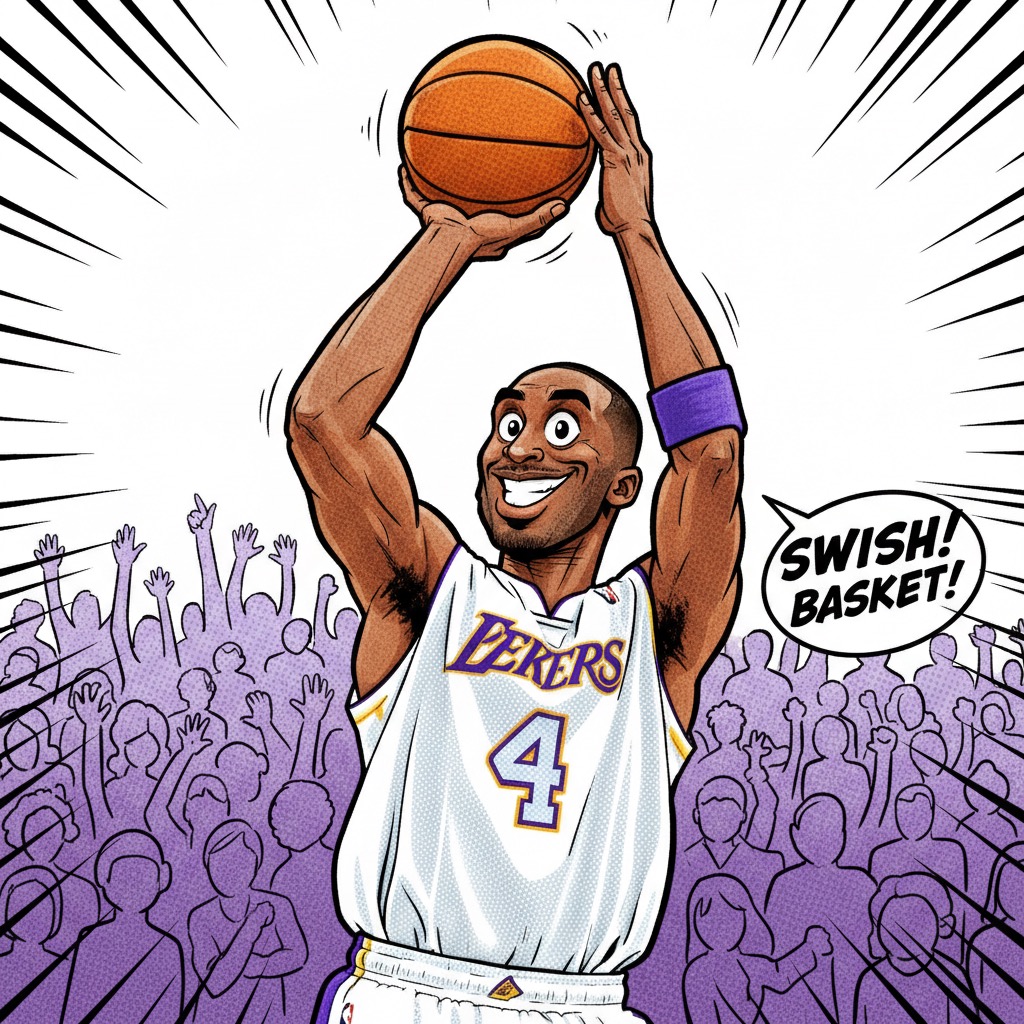 After
AfterComic Book style
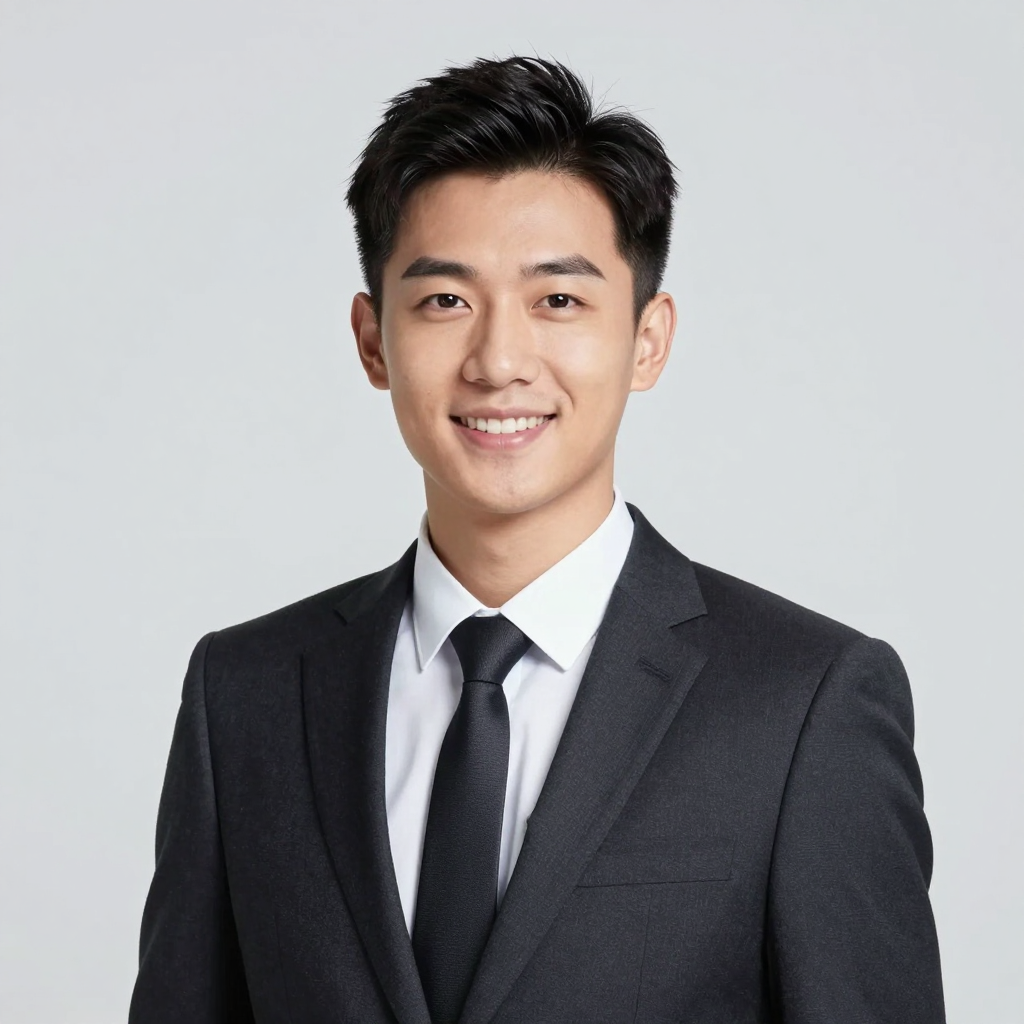 Before
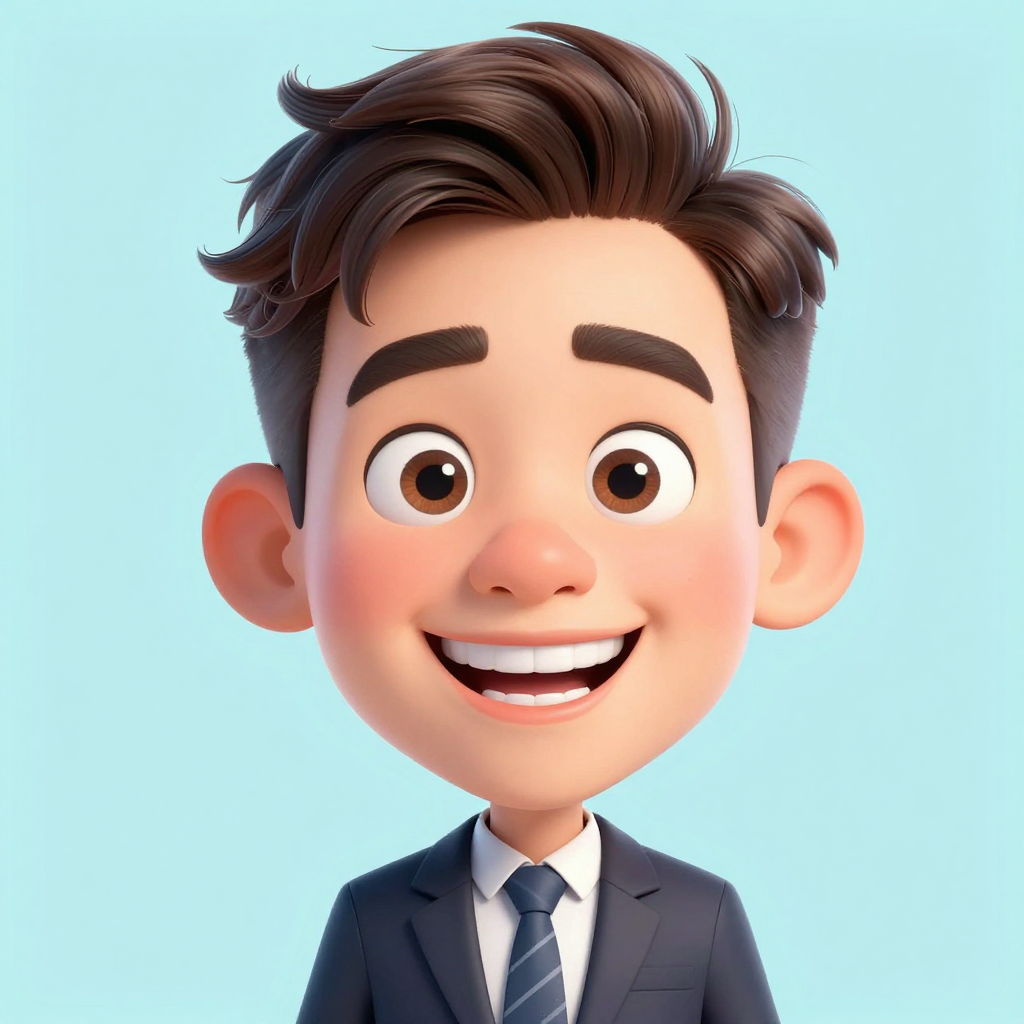 After
AfterCartoon style
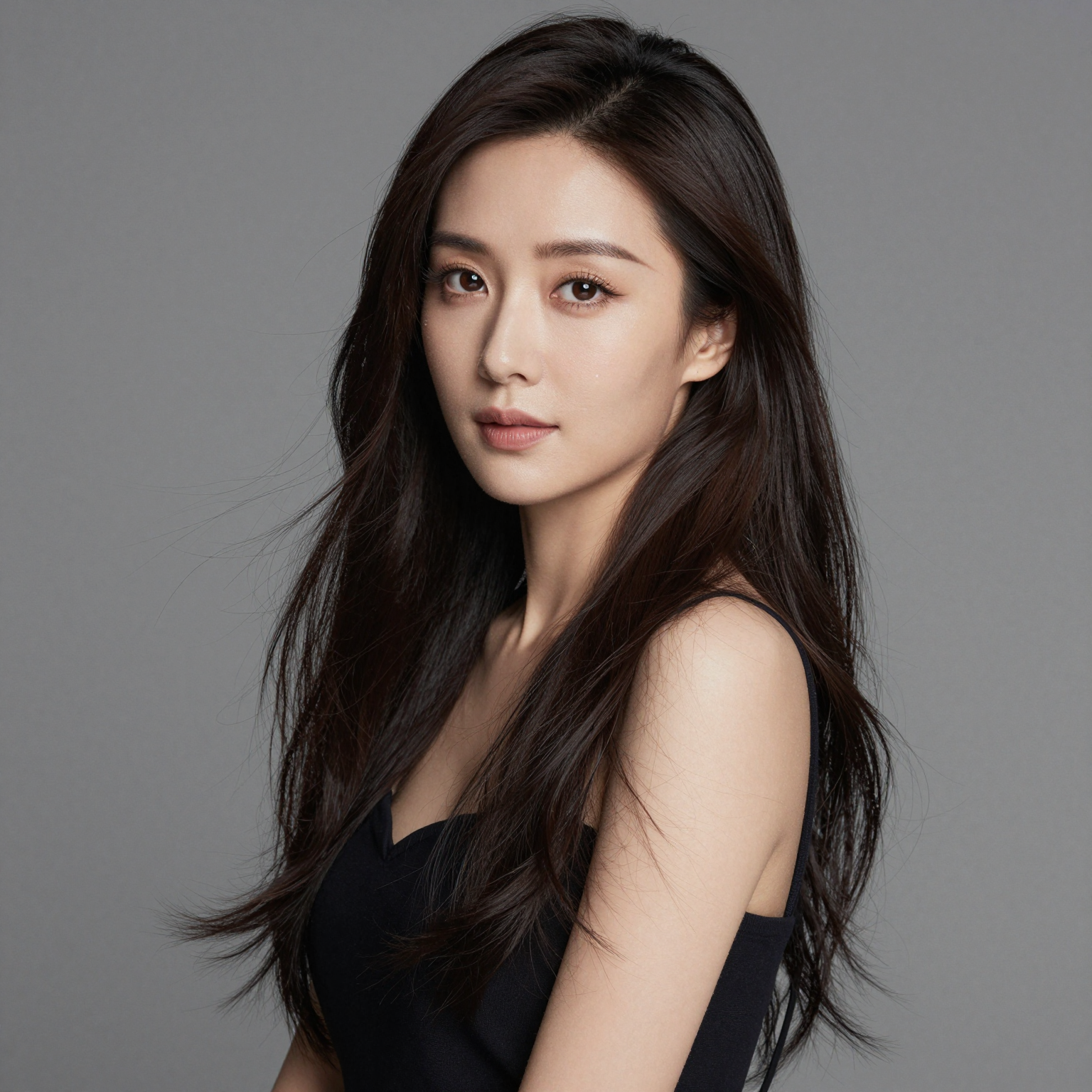 Before
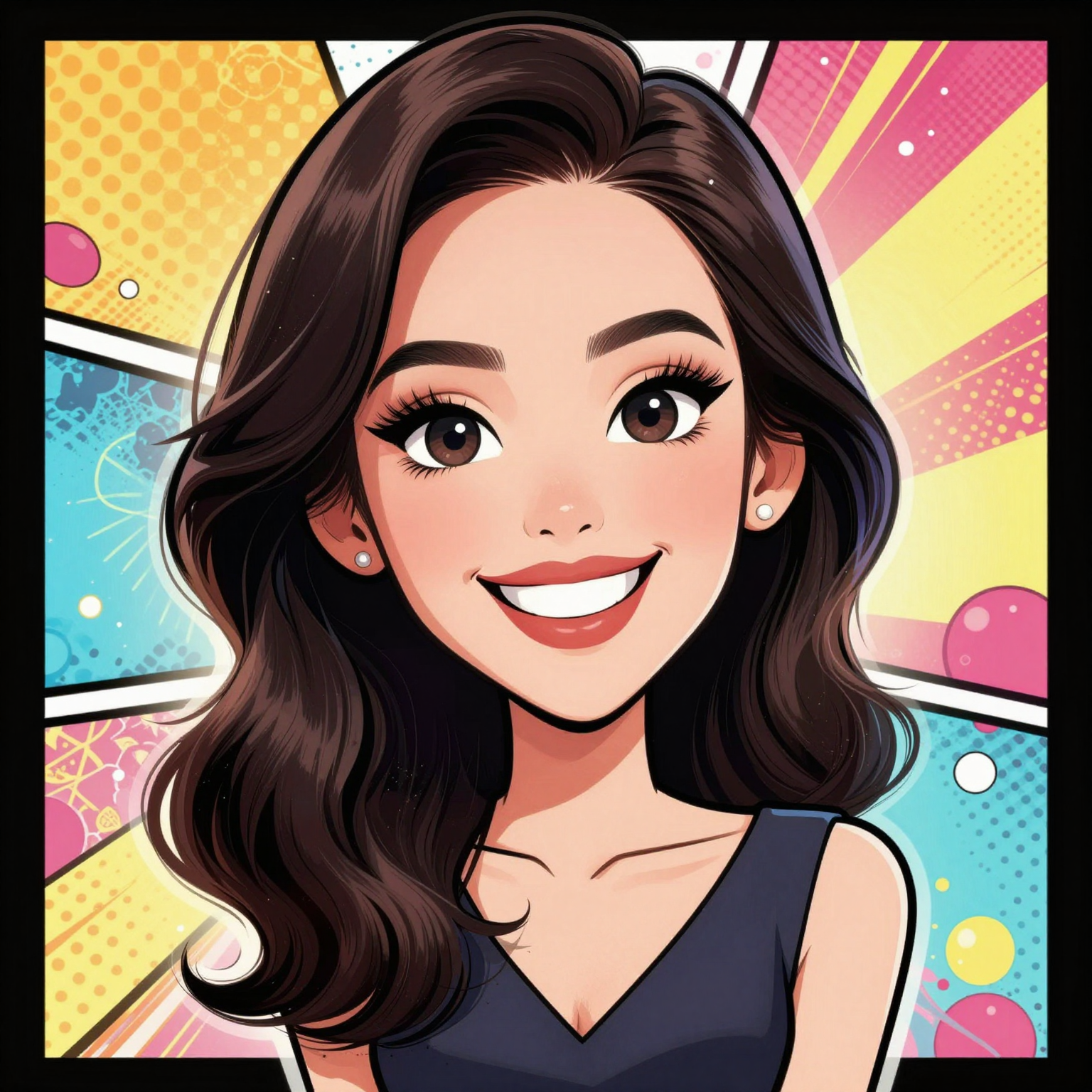 After
AfterPixar style
Turn Any Photo Into a Caricature — In Four Styles
An AI caricature generator takes one portrait and re-renders it as a stylized caricature — exaggerating the features that make a face recognizable while keeping the likeness intact. Upload a photo, pick from four styles (Comic Book, Cartoon, Anime, and Pixar), and a finished image comes back in seconds. No drawing, no prompt engineering, no manual retouching. It is the fastest way to turn a photo into a caricature that still looks like the subject.
- One photo in, one caricature out — feature detection, exaggeration, and rendering happen in a single pass.
- Four built-in styles: Comic Book, Cartoon, Anime, and Pixar — switch between them without re-uploading.
- Identity-preserving output: an AI caricature from photo keeps facial structure and expression recognizable.
Why Use the AI Caricature Generator
Four styles, face-aware exaggeration, and identity-preserving output — the reasons creators reach for this caricature maker AI instead of a flat cartoon filter.
Four Built-In Styles
Comic Book, Cartoon, Anime, and Pixar looks ship built in. Pick one before you generate, or rerun the same photo in every style to compare — the caricature maker AI applies each look without losing the underlying likeness.
Face-Aware Exaggeration
Instead of applying a flat cartoon filter, the tool detects eyes, nose, mouth, jaw, and brow, then exaggerates the features that define the face. The result reads as a caricature, not a sticker pack — expressive but still recognizable.
Identity-Preserving Output
A caricature only works if the subject is still recognizable. The caricature maker AI locks facial geometry and proportions before stylizing, so an AI caricature from photo keeps the smile, the jawline, and the expression that make the person identifiable.
Single-Photo Input
No source images, no reference sheets, no text prompts required. Drop in one JPG, PNG, or WEBP up to 20MB and the rest is handled — the same workflow whether it is your first caricature or your hundredth.
Fast, Iterative Renders
Each caricature renders in seconds, so you can try the same portrait in Comic Book, then Cartoon, then Anime, then Pixar and pick the strongest one. The caricature maker AI is built for fast iteration, not one-shot output.
Download-Ready Resolution
Output is high-resolution PNG suitable for avatars, social posts, prints, and client deliverables. Every AI caricature generated from photo ships at a resolution you can use without upscaling.
How to Turn a Photo Into a Caricature
Upload, pick a style, generate — three steps from a portrait to a finished caricature.
Upload One Photo
Drop in a single portrait — front-facing, well-lit, and unobstructed gives the best results. JPG, PNG, and WEBP up to 20MB are accepted. No prompt, no reference sheet required.
Choose a Style
Pick one of four looks: Comic Book for bold ink lines, Cartoon for rounded playful shapes, Anime for stylized eyes and clean shading, or Pixar for soft 3D render. The caricature maker AI applies the style on top of the detected face.
Generate and Download
The AI caricature generator renders the caricature in seconds. Preview it, rerun in another style to compare, and download the PNG at full resolution. Turn a photo into a caricature as many times as you want.
AI Caricature Generator FAQ
Turn Your Photo Into a Caricature Now
Upload one portrait, pick a style, and let the caricature maker AI do the rest. Comic Book, Cartoon, Anime, or Pixar — four looks, one photo, finished in seconds. Start with free credits today.