
Fix Garbled Text in AI Images
Upload the render, type what the lettering should actually say, and GPT Image 2 redraws just the words — spelling fixed, style kept, composition untouched.
Upload an AI-generated image with broken text
Click to browse or drag & drop — the crop tool opens automatically
Fix Garbled Text in AI-Generated Images — Keep the Shot You Already Love
You finally get the perfect generation — right composition, right light, right mood — and then you read the lettering: WELCIME TO TEH FUTRUE. Re-rolling the prompt rarely helps; it just hands you a different picture with different mistakes. This tool takes the other path. Upload the AI image, tell GPT Image 2 what the words should actually say, and it re-renders only the lettering — spelling corrected, warped glyphs cleaned up — while the composition you loved stays frame-for-frame identical. Fixing garbled text in AI-generated images no longer means gambling the render away.
- Repairs the lettering, not the picture: misspellings, warped glyphs and pseudo-words are corrected in place while the composition holds still.
- Works on images from Midjourney, DALL-E, Flux, Stable Diffusion and any other generator — the source does not matter, only the picture.
- Unreadable gibberish is fine: leave the original-text field empty and simply type what the sign should say.
Fix garbled AI text — before & after example
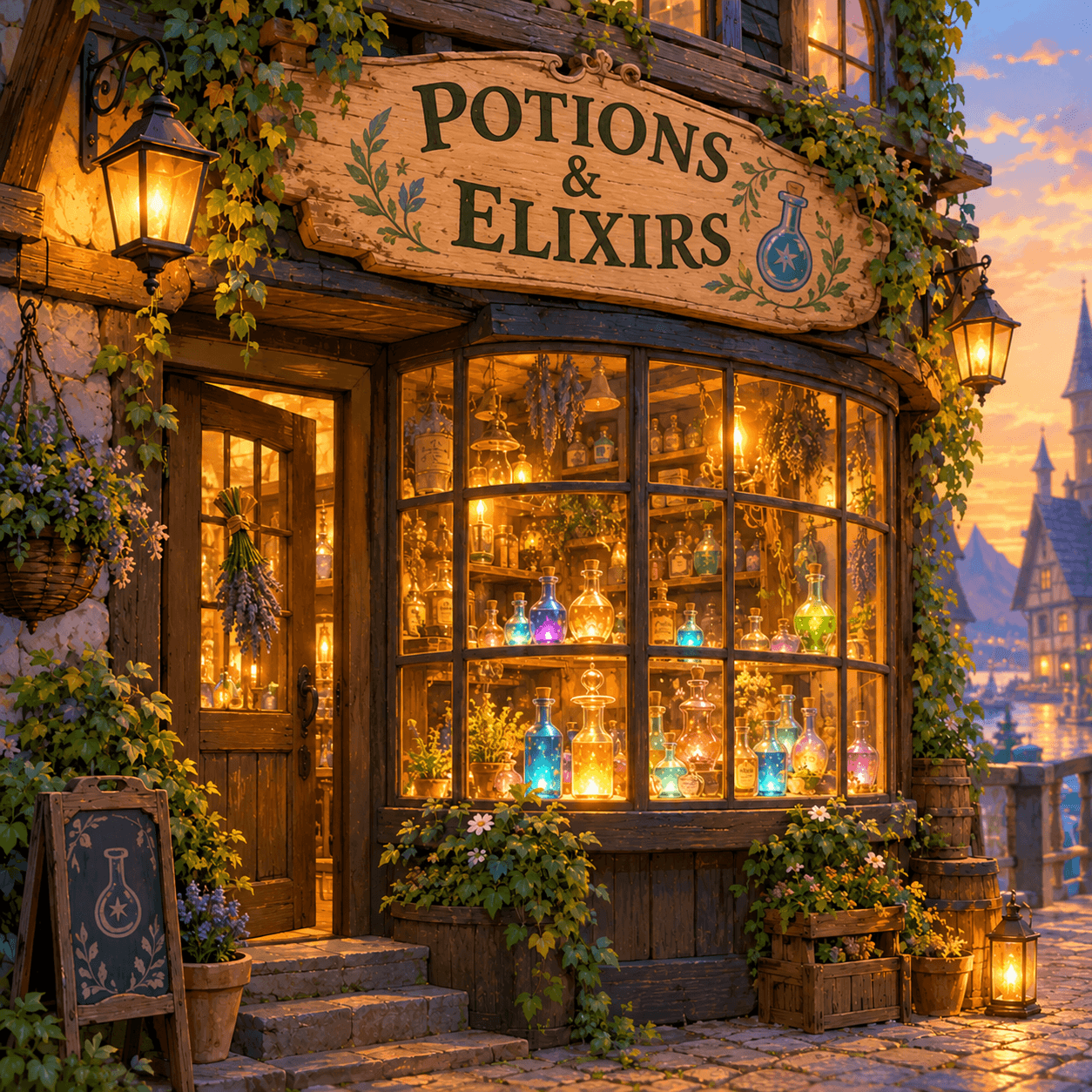
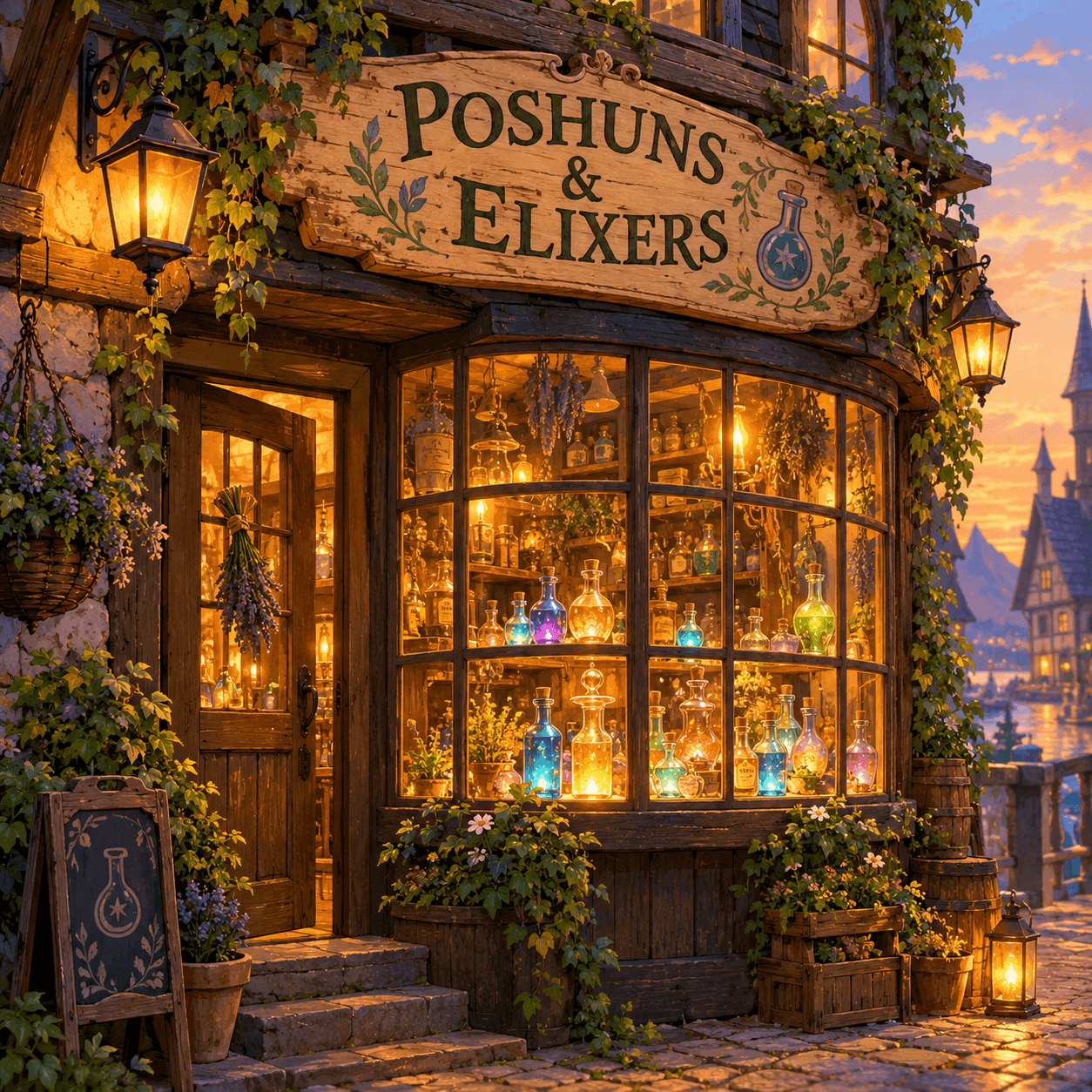
Drag the slider. The misspelled shop sign is re-rendered correctly while the storybook artwork stays untouched.
Built to Fix What Generators Get Wrong
Image models draw beautiful letters and spell terrible words. This editor exists to close that gap without a re-roll.
Composition Preservation
Every re-roll is a dice throw: the sign might spell correctly this time, but the face, the lighting and the framing change too. Repairing the lettering on the render you already have keeps the exact composition — the whole reason you fix garbled text in AI-generated images instead of regenerating them.
Handles Unreadable Gibberish
Sometimes the model produced alphabet soup — a squiggle that is clearly meant to be a word but is not one. You do not have to transcribe it. Skip the original-text field, type what the lettering ought to say, and the repair targets the garbled region.
Generator-Agnostic Repair
Midjourney signage, DALL-E posters, Flux product shots, Stable Diffusion concept art — to this editor they are all just images with broken text. Whatever stack produced your garbled output, the fix is the same three steps.
Style-Aware Re-Lettering
The corrected words keep the render's aesthetic: neon stays neon, marquee bulbs stay lit, engraved metal keeps its bevel. Fixing garbled AI text should not flatten the art direction the generator got right.
Fits the Generate-Then-Fix Pipeline
Serious AI image workflows treat text as a second stage: generate the scene, then repair the lettering, then upscale. This editor is built for that middle step — cheaper and more reliable than prompt roulette across a dozen re-rolls.
Batch a Whole Set
A hero image, five thumbnails and a banner all spelled wrong? Each fix is one fast pass. Correct the whole set in the time a single re-roll-and-hope cycle used to eat, with results you can actually review one by one.
How to Fix Garbled Text in AI Images
Three steps from near-miss to finished render.
Upload the Render
Any generator's output — JPG, PNG or WEBP up to 24MB. If the broken lettering sits in one region, crop to it: the repair model gets a closer view and the corrected glyphs come out cleaner.
Type the Correct Wording
Optionally enter the garbled text as it reads now (skip it if unreadable), then type what it should say. Notes can pin details like 'keep the neon glow' or 'preserve the tilted sign angle'.
Generate and Ship It
Only the lettering is redrawn — spelling fixed, style intact, scene untouched. Download the repaired render, or feed it back for a quick second pass on any glyph that needs it.
Fixing Text in AI-Generated Images — FAQ
Keep the Render, Fix the Words
Upload the AI image, type what the lettering should say, and GPT Image 2 corrects the spelling in place — no re-rolls. Free credits to start.