
Edit Text in Image with Same Font
Type the current wording and the replacement — GPT Image 2 redraws your new words in the same typeface as the original lettering, so nothing about the design gives the edit away.
Upload a picture whose wording you want changed
Click to browse or drag & drop — the crop tool opens automatically
Edit Text in an Image with the Same Font — No Font Hunting Required
The usual wall you hit when re-wording a picture is the typeface. Photoshop asks which font; you do not have the font; the sign was hand-lettered anyway. This tool removes that wall entirely. Upload the image, type the words as they appear and the words you want instead, and GPT Image 2 re-renders the replacement so it uses the same font as the original lettering — matching stroke weight, width, spacing, color and the surface it sits on. Nothing to identify, download or install. To edit text in an image with the same font, this is the entire workflow.
- The replacement is drawn in the same font as the original lettering — weight, spacing and color included, even for type that never existed as a font file.
- No font hunting: skip the identification apps, the lookalike searches and the licensing downloads. The style is read straight from the picture itself.
- Custom and hand-drawn lettering is supported — logos, script, neon tube, carved wood, painted murals — because the model copies drawn letterforms, not a font menu.
Same-Font Re-Lettering — Slide to Compare
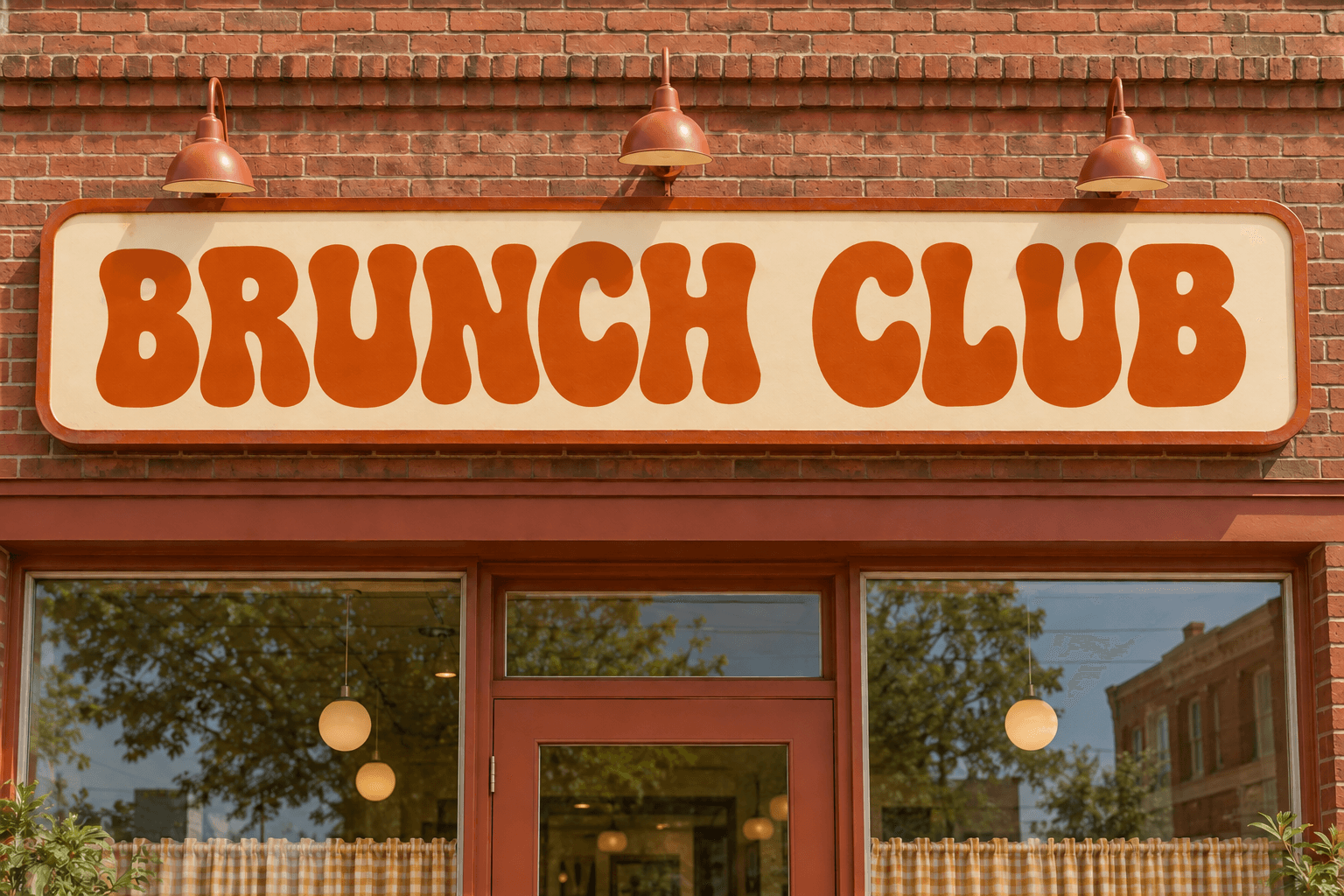
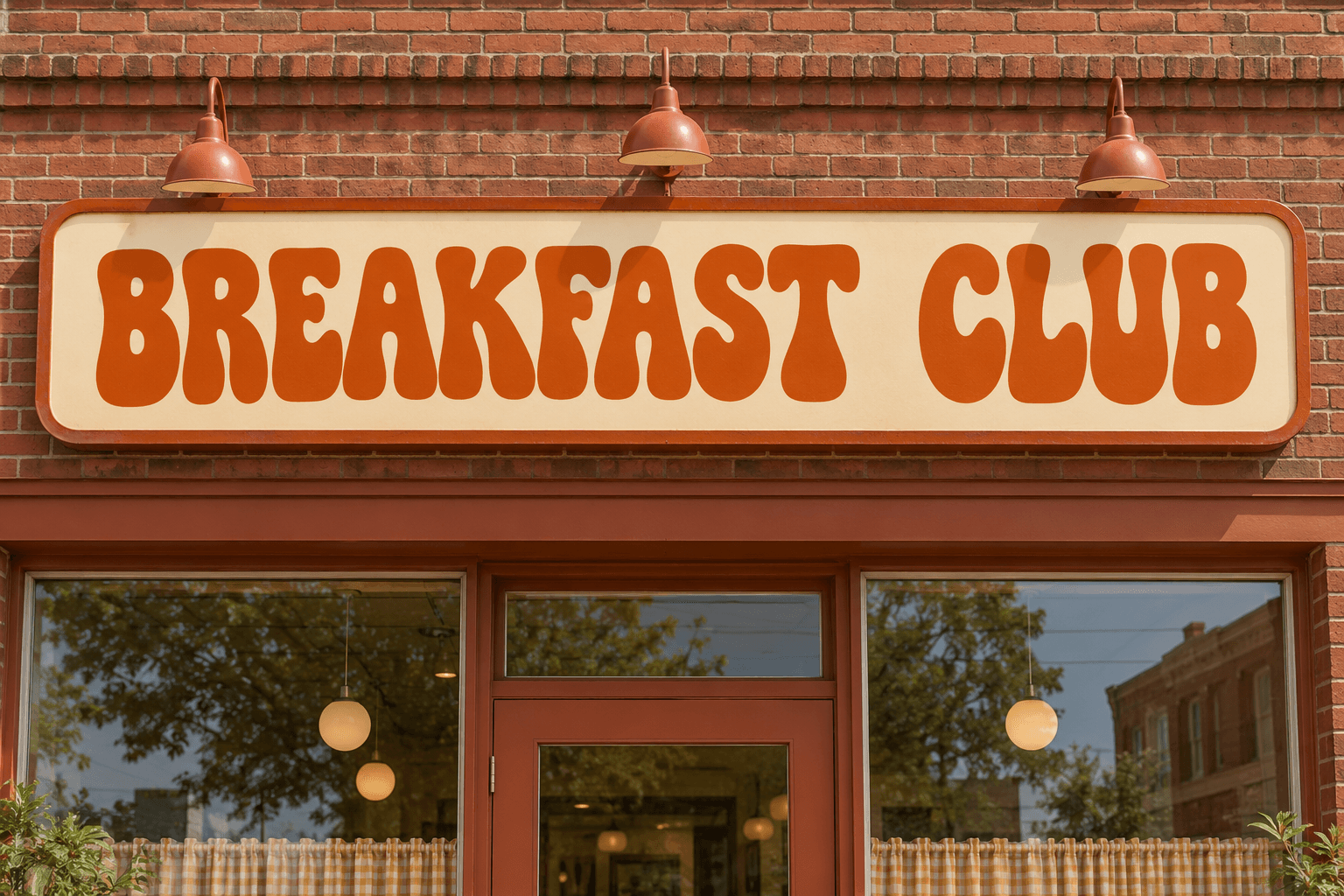
One drag shows the vintage sign re-lettered from BREAKFAST CLUB to BRUNCH CLUB — same bulbous retro typeface, same burnt-orange fill, same painted texture.
Same Font, New Words
A re-worded image is only convincing when the typeface matches. Every part of this editor is tuned to edit text in an image while the same font survives the swap.
The Typeface Comes From the Picture
You do not describe the font or pick it from a list. The model inspects the letterforms already printed in your image — their stroke contrast, proportions and rhythm — and redraws your replacement wording in that same style, so editing text in an image with the same font needs zero outside input.
Custom Lettering Is Fair Game
Most garish display type on posters and shopfronts is not a font you can buy — it is drawn once by a designer or sign painter. Tools that swap fonts choke on it. This one does not, because it works from the drawn shapes: wordmarks, brush script, blocky pictorial lettering all re-render faithfully.
Weight, Spacing and Color Carry Over
Bold stays bold. Tight kerning stays tight. A gold gradient fill keeps its gradient, and a drop shadow keeps falling the same direction. When you edit text in an image with the same font, all of the secondary styling travels with the letterforms — not just their outlines.
No Font Files, Ever
Font licensing is a quiet nightmare: foundry subscriptions, embedding restrictions, web-only tiers. Because the replacement is synthesized from your own image, there is no font file to buy, license, install or embed. The whole compliance question disappears from your workflow.
Perspective and Surface Aware
Lettering photographed at an angle, wrapped around a coffee mug, or painted on rough brick is matched in context. The redrawn words keep the original's tilt, curvature and surface texture, so the same font sits on the same wall after the edit.
Second-Pass Refinement
First pass got 98% there? Feed the result back in with a note — 'slightly heavier stroke', 'tighten the spacing' — and refine just the lettering. Iterations cost one credit each, which is still cheaper than the hour you would spend sourcing the font.
How to Edit Text in an Image with the Same Font
Three steps, zero font research.
Upload the Picture
Drop in a JPG, PNG or WEBP up to 24MB. If the wording you are changing is small or ornate, crop to that region first — more pixels per letter is the biggest accuracy lever for same-font re-rendering.
Type the Old Words and the New Words
Enter the current wording exactly as drawn, then your replacement. Optional notes handle the fine print — keep the chipped-paint texture, hold the arc of the lettering, match the faded red ink.
Generate and Check the Lettering
GPT Image 2 redraws your new words in the same font as the originals, in seconds. Zoom in, confirm the strokes match, download the PNG, or run a refinement pass if a detail needs tightening.
Editing Text with the Same Font — FAQ
New Words, Same Font
Upload a picture, type the replacement wording, and let GPT Image 2 re-render it in the original typeface — no font hunting, no font files. Free credits to start.