
Replace Text in a Photo Free
Upload a photographed sign, window or banner, type the wording you want changed, and GPT Image 2 re-renders it on the same surface — realistic down to the grain and the glare. Free credits to start.
Upload a photo containing lettering
Click to browse or drag & drop — the crop tool opens automatically
Replace Text in a Photo — Signs, Windows and Lettering, Kept Realistic
Photographed text is stubborn. The words are painted on a wall, printed on a menu board, vinyl-cut onto a van door — so changing them used to mean repainting, reprinting, or a long evening of clone-stamping in Photoshop. This editor lets you replace text in a photo realistically instead. Upload the picture, type the wording that is there now and the wording you want instead, and GPT Image 2 re-renders the lettering on its real surface — with the grain, weathering, reflections and angle of the original intact. New words, same sign. Free credits to start, then one credit per photo.
- Replacement lettering keeps its real-world surface — brick, glass, fabric, metal — with weathering, reflections and perspective preserved.
- Built for photographed scenes: street signs, shop windows, vehicle lettering, menu boards, banners and painted murals.
- Free credits when you sign up, then one credit per photo — your first text replacements cost you nothing.
Chalkboard Price Swap — See It Happen
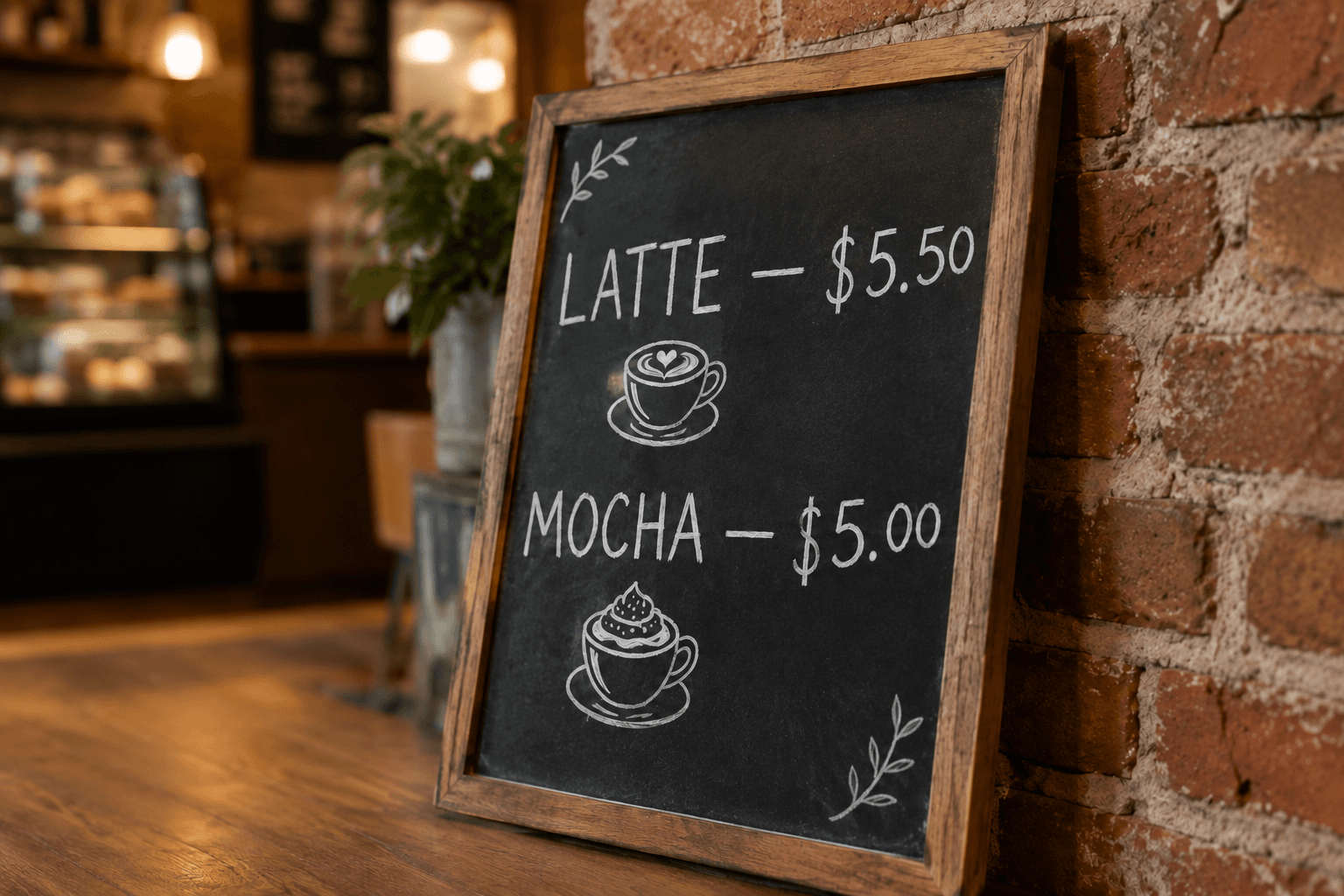
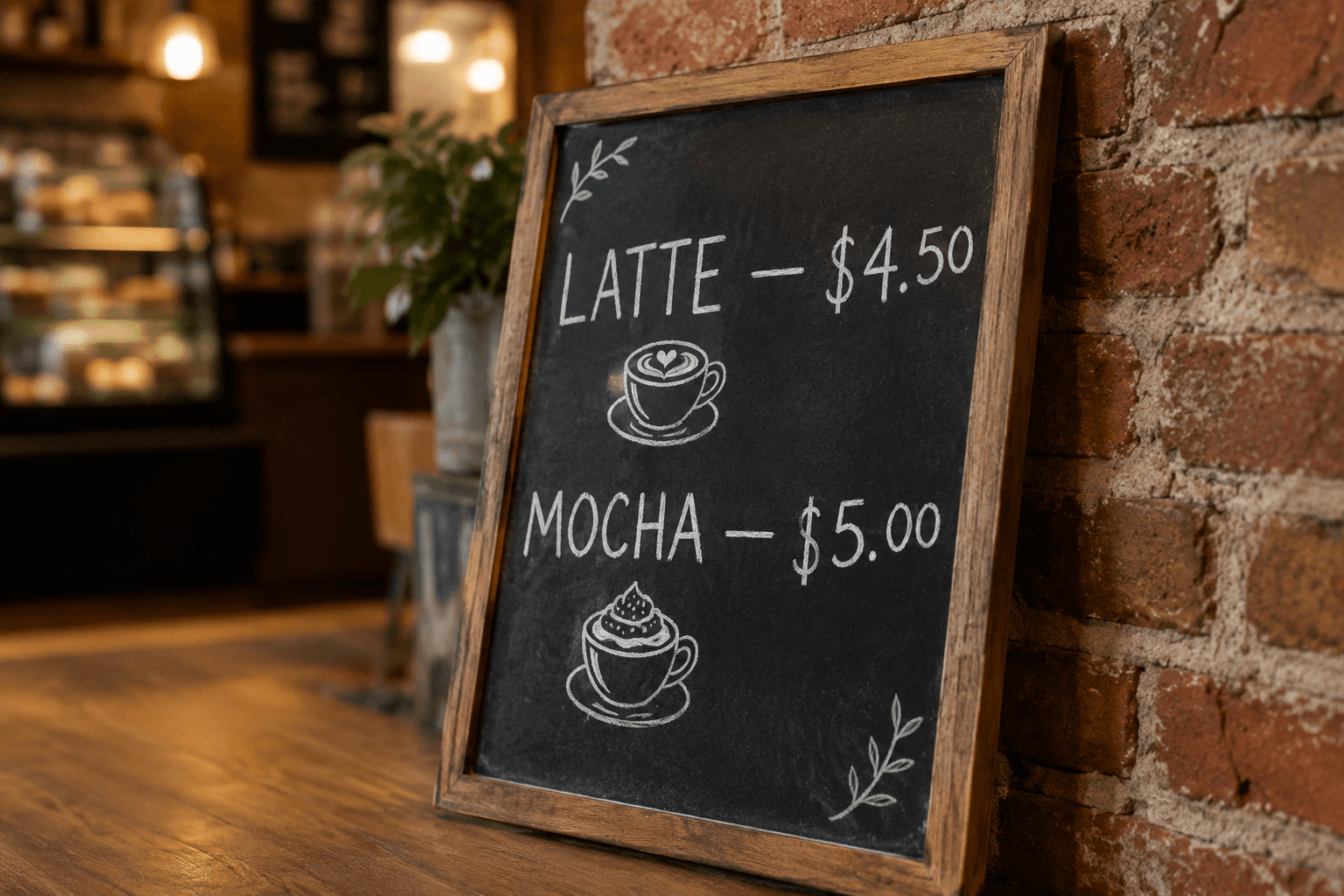
The latte line is repainted from $4.50 to $5.50 in the same hand-drawn chalk strokes — board grain, cafe lighting and all.
Realistic Text Replacement for Real Photographs
Anyone can paste words over a photo. Drawing new lettering that genuinely belongs to the scene — that is what this photo text editor is for.
Surface Realism
When you replace text in a photo, the new words have to live on something. The editor keeps the substrate honest: paint keeps its brush edges on brick, vinyl keeps its crisp cut on glass, printed ink keeps its dot pattern on a menu board. The surface never turns into a flat sticker.
Lighting and Reflection Matching
Photographed lettering is photographed light. Glare sliding across a shop window, a hard shadow cutting across a sign, warm bulbs tinting a menu — the replacement text inherits all of it, because it is rendered inside the photograph rather than layered above it.
Angle and Distance Aware
A road sign receding down a highway, lettering wrapped around a mug, a banner shot from below — the redrawn wording is placed back into the same perspective, so replacing text in photos taken at awkward angles does not produce floating captions.
Set Dressing and Pre-Visualization
Filmmakers, event planners and marketers photograph a location and need to know what a different sign would do to the frame. Swap the wording on the existing sign first, review the shot, and only then pay for the print — the cheapest location-scouting tool you will use this year.
Everyday Practical Edits
The unglamorous jobs this tool quietly excels at: correcting a price on the chalkboard photo before it goes to print, updating the hours on your storefront image, fixing the misspelled banner your supplier shipped. Replace the text in the photo instead of reshooting it.
Honest Edits Only
The editor is built for photos you own or are licensed to modify — your storefront, your signage, your set photos. Requests to doctor permits, plates, tickets, identity documents or anything intended to mislead are refused, which keeps the tool dependable for everyone legitimately using it.
How to Replace Text in a Photo
Three steps to new words on the same surface.
Upload the Photo
JPG, PNG or WEBP up to 24MB. Photos where the lettering is sharp and reasonably large re-render best — if the sign is small in the frame, crop closer to it before generating.
Type the Old and New Wording
Enter the current wording exactly as it reads, then the replacement. Notes capture the physical details — 'keep the rust around the letters', 'match the frosted glass' — that make the swap seamless.
Generate and Download
The lettering is re-rendered on its surface in seconds, lighting and perspective intact. Inspect it at full size, download the edited photo, or run a refinement pass on any detail.
Replacing Text in Photos — FAQ
New Words, Same Sign
Upload a photographed sign, window or banner, type the replacement wording, and GPT Image 2 re-renders it realistically in place. Free credits to start.